Golf cart rental software: 6 things most tools get wrong (and why it costs you)
Why generic rental apps fail golf cart dealers. Booking conflicts that go undetected, deposit math that breaks, inventory that thinks rented = available. What to look for instead.
Rental revenue is some of the best margin in this industry. A new cart that costs $9,000 can rent for $200 a day. Run that 25 days a month and you've covered the asset in 18 months while still owning it to resell.
The catch: most of the rental software out there isn't built for golf carts. It's built for cameras, party gear, or wedding tuxedos. Shopify rental apps, Booqable, Sellr — the model gets ugly fast when you try to use it for a fleet of LSVs.
Here's what we see go wrong, in the order it usually hurts.
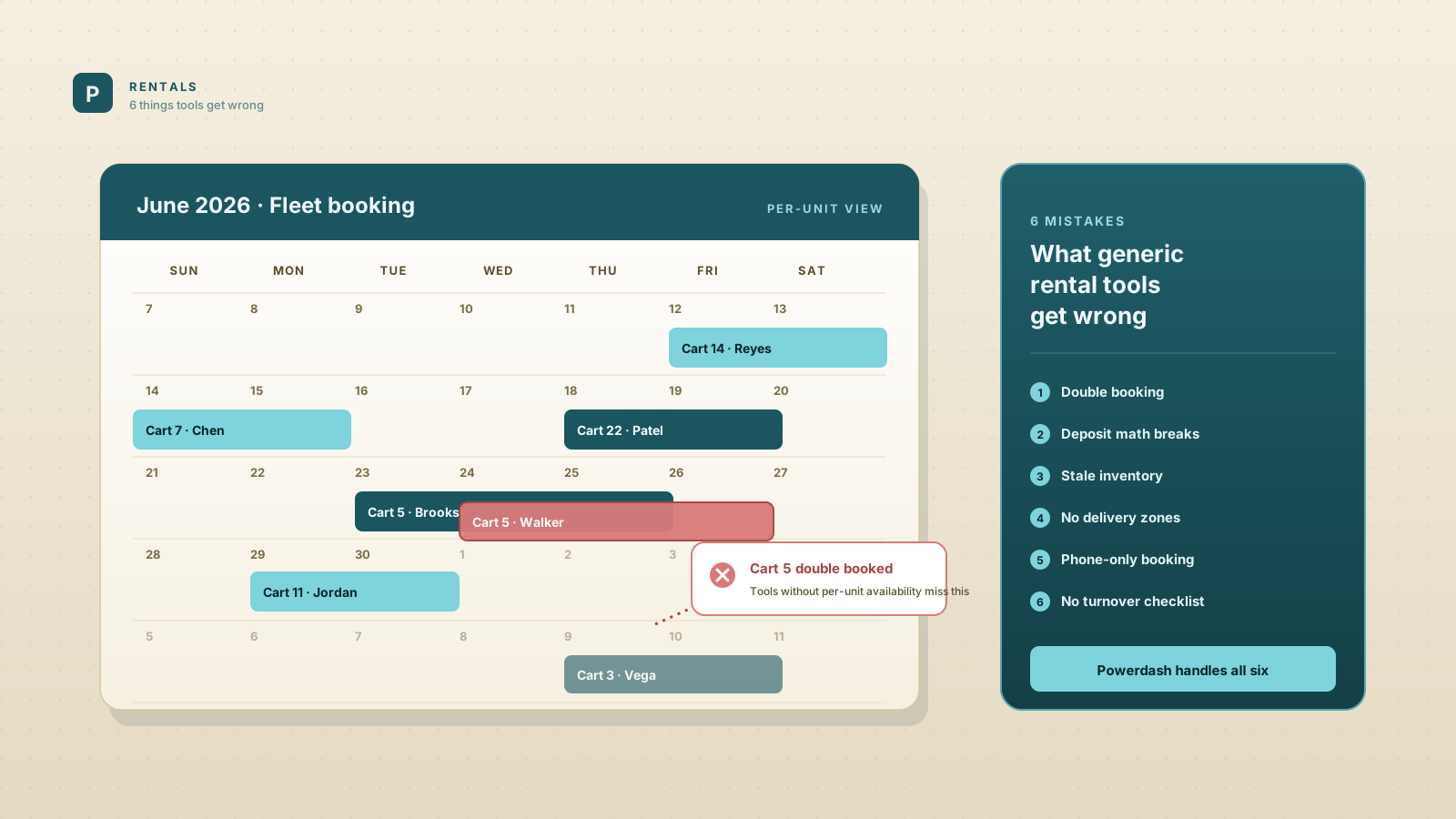
1. The tool can't tell when a cart is double-booked
This is the worst one. Most generic rental apps treat a "product" as a stock count. They'll let you list "Lifted 6-Seater" with quantity 4. Two customers can each book the same overlapping dates and the system shows green checkmarks for both. Friday comes, four carts go out, the fifth customer shows up, no cart. You scramble. You refund. Sometimes you give a free upgrade. Sometimes you lose them as a customer.
What to look for: per-unit availability, not stock-count availability. Each cart has its own ID, its own calendar, and the system blocks any reservation that overlaps another reservation on the same unit.
2. Deposit math that breaks
Real rental businesses charge a refundable damage deposit ($200 to $500) plus the rental fee plus a delivery fee plus tax. Many rental apps either don't separate the deposit from the rental, or charge tax on the deposit (which most states don't require), or don't give you a clean way to refund the deposit only at the end of the rental period.
What to look for: deposit handling as a distinct line item, the deposit captured but not paid out until release, and tax computed on the rental and fees only.
3. Rented units still show as available to buy
If your rental fleet and your sales inventory share the same database (and they should, because most of your rentals are eventually resold), the website needs to know that a rented cart isn't available to sell. Generic rental apps don't talk to your storefront's inventory page. A buyer browses your site, falls in love with a cart, drives over, and you have to tell them it's out on a 7-day rental in Hilton Head.
What to look for: rentals and sales sharing one inventory source, with status that updates everywhere when a cart is rented.
4. No real delivery fee structure
Most golf cart rentals come with delivery. Some flat ($75 within 10 miles), some by zone, some by mile. Most generic tools force you into one flat shipping fee, which means you either lose money on long deliveries or overcharge for short ones.
What to look for: zone-based or distance-based delivery fees configurable per fleet location.
5. The customer can't book online
If your only booking channel is phone or email, you're losing 50%+ of would-be customers. Modern renters expect to pick dates, see prices, pay deposit, and get a confirmation, all from a phone, all in five minutes. If your website doesn't let them do this, they book the dealer who does.
What to look for: storefront-integrated booking flow with real-time availability, online deposit payment, and email confirmations.
6. No turnover checklist
Rentals need a process at pickup and dropoff. Charge level, photos of condition, fuel/charge state, mileage on accessories, registration confirmed. The tools that don't enforce this end up with disputes a month later. "Was the windshield cracked before I rented it?" You don't know, the staff member who rented it doesn't remember, you eat the cost.
What to look for: a turnover checklist with photos saved against each rental record.
What we built (a brief Powerdash pitch)
Powerdash handles all six of these natively. Per-unit availability with conflict detection, deposit-as-a-distinct-line-item, rental and sale inventory unified, zone-based delivery fees, online booking on your storefront, turnover checklist with photo capture. We built it because every dealer we talked to was duct-taping rentals onto a tool that wasn't designed for them.
If you want to see how it works, 60-day trial here. No card.
If you stay on what you have
Three rules to avoid the worst failure modes:
- Match unit-level availability to your CRM or spreadsheet. Don't trust "stock count" availability.
- Set up a manual deposit holding step. Capture the card, don't charge until you confirm condition at return.
- Photograph every cart at pickup and dropoff. Save to a shared folder named by reservation ID.
These aren't elegant. They will save you the next dispute.
If you're shopping around for a real fix, our 2026 dealer software comparison covers every major option, and the compare hub has side-by-side breakdowns of each one against Powerdash.